

Introducing Workflows
Dashboards tell you what's wrong with your AI visibility. Workflows fix it, and keep fixing it on a schedule or the moment something changes.
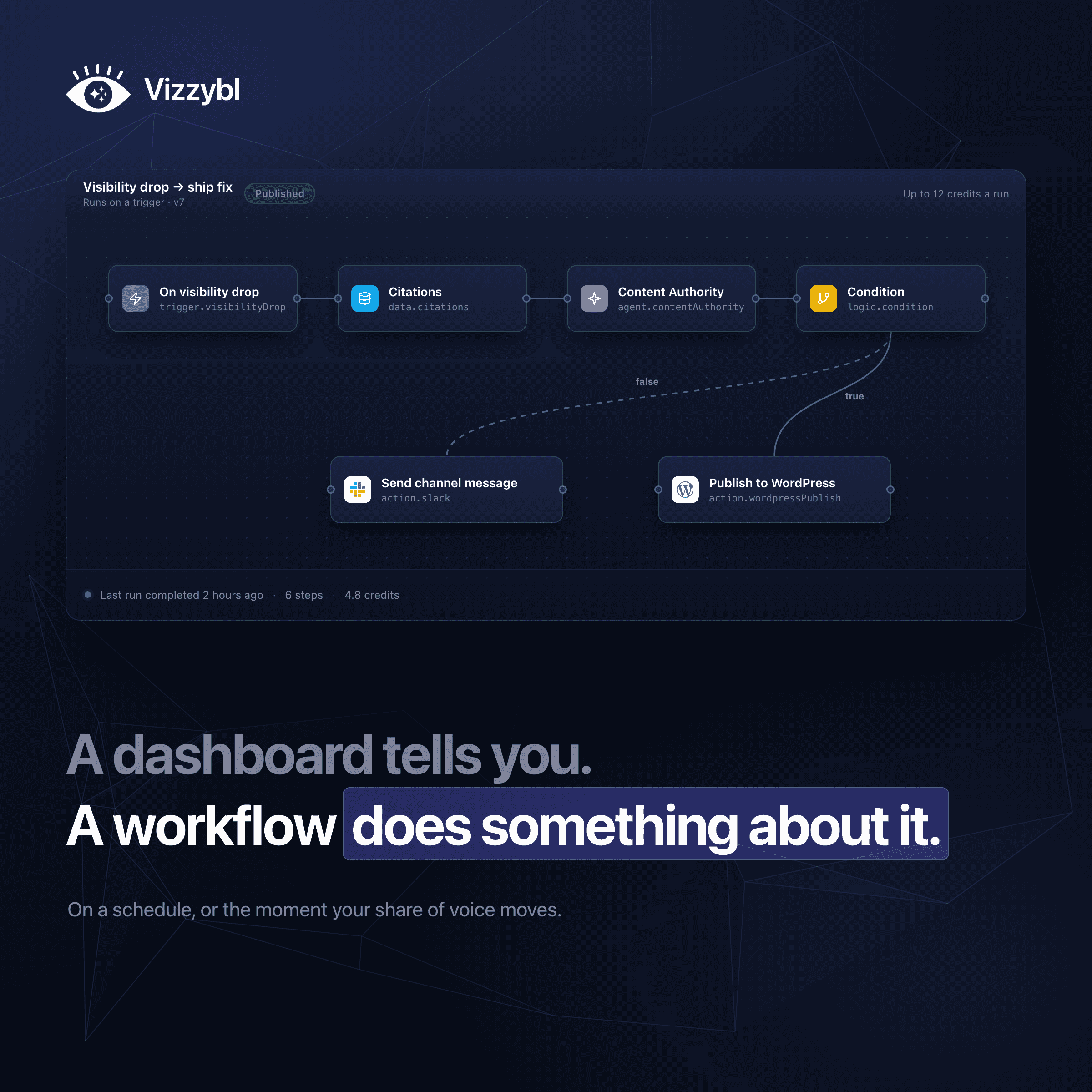
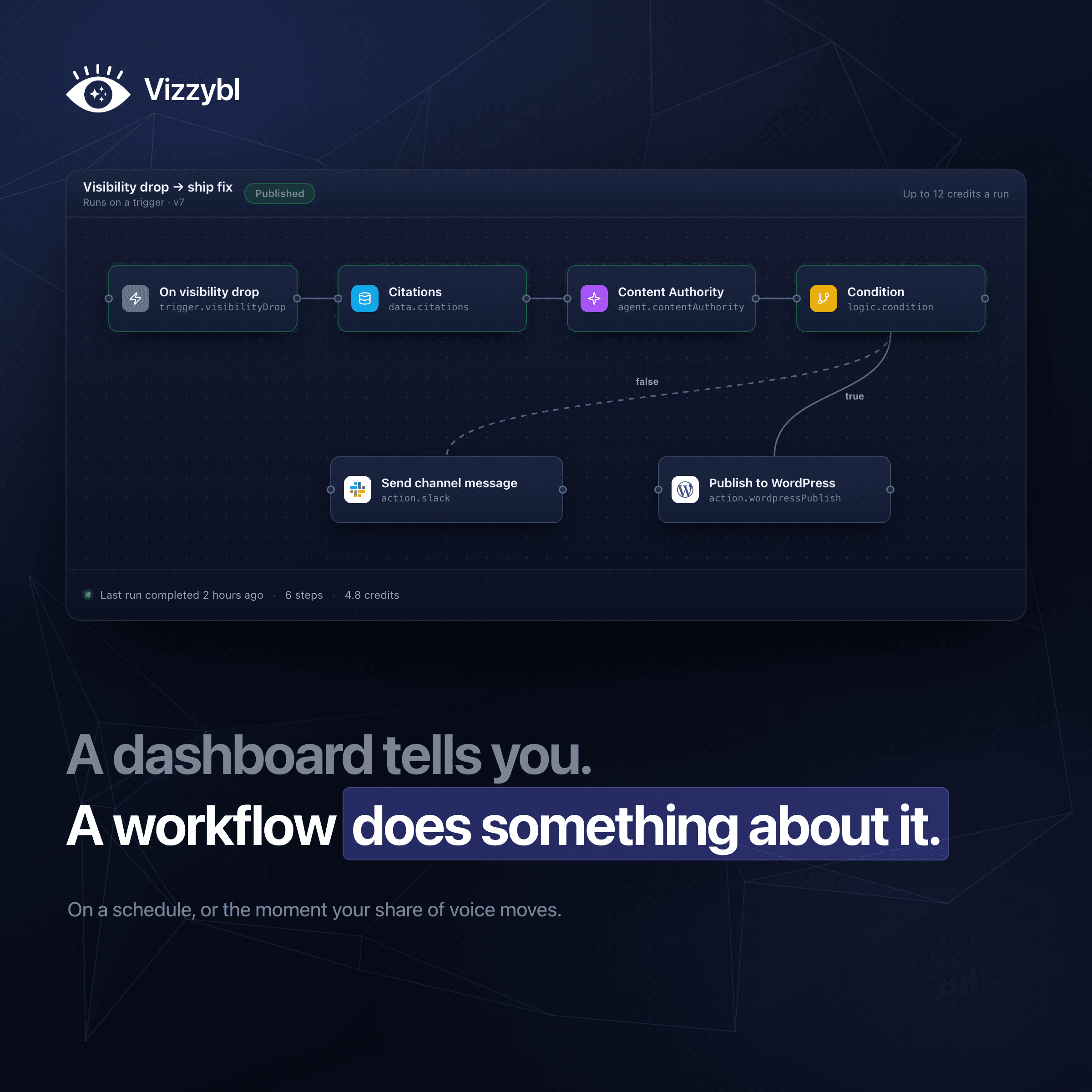
Most AI visibility tools end the same way: you get a long report with great charts, share of voice across search engines, competitor mentions, cited sources, and a list of recommendations. Then the tool stops, and everything on that list becomes manual work.
That is the core gap in Answer Engine Optimization (AEO). A diagnosis is useful, but AI answers change every week. A report is a static photograph of a moving target. By the time someone translates a report into tickets, drafts rewrites, and publishes updates, the AI engines have moved on.
Executable Workflows close that loop. By chaining Vizzybl’s AI agents, your data, and your existing tech stack into an automated visual process, fixes run on demand, on a schedule, or automatically when your visibility shifts.
Dashboards diagnose. Workflows execute.
Why We Built Executable Workflows
Marketing teams are great at finding visibility gaps, but struggle to close them quickly. The work between identifying a gap and fixing it often belongs to nobody.
The typical manual cycle:
- Monday: Someone screenshots a dashboard and pastes it into Slack.
- Tuesday: A ticket is filed because a competitor is being cited on a core prompt.
- Next Week: A page is rewritten, but nobody verifies if the AI engines updated their citations.
- Holiday: The manual ritual breaks entirely.
Vizzybl already monitored eight AI answer engines, ran GEO audits, analyzed citations, and tracked tasks on the Action Board. Executable Workflows connect these pieces into an automated engine guided by three core principles:
- Act, don't just report: End every run with a published draft, a filed task, or a team alert—not another chart.
- React in real time: Trigger actions immediately when share of voice drops or a competitor gets cited, rather than waiting for a weekly review.
- Provide full transparency: Every step, credit, and execution is visible, verifiable, and reversible.
What is an Executable Workflow?
A workflow is a visual graph built on a canvas. It starts with a single trigger, moves through data and decision steps, and finishes with an action that delivers results where your team works.
Example:
Every Monday at 09:00 → Find domains AI engines cite instead of you → If competitor domains exist → File an actionable card for the team.
Triggers Available:
- Manual: Run on demand with a single click.
- Schedule: Set daily, weekly, or monthly cadences.
- Visibility Drop: Fires after the daily snapshot if week-over-week share of voice drops past your custom threshold.
- New Citation: Fires the moment a new domain appears in citations for a monitored prompt (e.g., filtering specifically for mentions on
reddit.com).
Note: Event triggers fire strictly once per occurrence to prevent duplicate alerts during retries.
Three Ways to Build
- Describe it in plain English: Type a natural prompt into the Assistant tab (e.g., "Every Monday, check my share of voice and message the team if it drops"). The Assistant generates the full visual workflow as a disabled draft for your review.
- Drag and drop on the canvas: Choose steps from the visual builder palette, drag them onto the canvas, and connect them. Built-in validation highlights missing settings before you publish.
- Deploy from a template: Launch instantly using pre-built templates for weekly AI scorecards, citation gap trackers, visibility drop alerts,
llms.txtdrift monitoring, or Google Search Console audits.
Built-in Agents & Native Integrations
Workflows combine Vizzybl's specialized agents and logic controls with your existing growth stack:
| Category | Capabilities & Supported Tools |
|---|---|
| Vizzybl Agents | GEO Audits, Content Authority scoring, Citation Pattern analysis, Brand Intelligence/Protection, and llms.txt generation. |
| AI & Custom Logic | Ask an AI (summarize, classify, or draft), Conditions/Switches, Parallel/Merge branches, Waits, and Repeat for Each loops. |
| Data Sources | Read from Google Search Console, GA4 (including AI referral traffic), HubSpot, WordPress, Notion, Cloudflare (AI crawler tracking), and ChatGPT Ads. |
| Publishing & Actions | Auto-draft to WordPress, HubSpot, and Notion. Send alerts/assignments via Slack, Teams, Google Chat, Discord, Email, Trello, or the Vizzybl Action Board. |
| Extensibility | Connect to Zapier, Make, n8n, or custom endpoints using Webhooks. |
Four Practical Use Cases
- Automated Citation Optimization: Detect competitor citation gaps, score target pages via Content Authority, draft rewrites with Ask an AI, and send drafts directly to WordPress or Notion for human approval.
- Real-Time Early Warning: Send immediate alerts to Slack when share of voice drops or when a competitor is cited for the first time, eliminating monthly review delays.
- Search Traffic Correlation: Pull Google Search Console data, audit declining pages using GEO Audit, and auto-assign optimization tasks for every slipping page using Repeat for Each.
- AI Narrative Auditing: Track brand mentions across search engines weekly, summarize messaging shifts, and route flagged discrepancies directly to PR or brand teams.
From Chat to Continuous Execution
Ad-hoc queries using @analysis or /content-rewrite in Vizzybl chat provide one-off insights. Workflows turn those routine manual queries into automated, recurring processes. Toggle seamlessly between chat and continuous execution using the Chat ⇄ Workflows switch on Home.
Get Started with Executable Workflows
Dashboards show you what's wrong. Workflows fix it.
Executable Workflows is currently in beta for Pro, Ultra, and Enterprise plans. To enable it for your workspace, book a demo or contact support.
Frequently asked questions
What are Executable Workflows in Vizzybl?
Executable Workflows are automated, visual processes that allow you to chain together Vizzybl’s AI agents, your data, and your existing tools to actively fix AI visibility gaps. While dashboards diagnose the problem, workflows execute the solution on a schedule or exactly when your visibility changes.
How do Executable Workflows differ from dashboards?
Dashboards tell you what is wrong with your AI visibility by providing reports and charts. Workflows take action to fix those issues by auto-drafting content, routing tasks, and alerting your team, preventing the standard workflow gap where a static report turns into manual busywork.
How are workflows triggered?
Workflows can be started in four ways:
Manual: Run them on demand whenever you want.
Schedule: Set them to run daily, weekly, or monthly.
Visibility Drop: Triggered automatically if your week-over-week share of voice falls past a custom threshold.
New Citation: Fired the moment a new domain (or a specific filtered source) appears in the citations for one of your monitored prompts.
How do I build a workflow?
You have three options to get started:
Describe it in plain English: Type a prompt into the Assistant tab, and it will build the full visual graph for you as a draft.
Drag and drop: Use the visual builder palette to drag steps onto your canvas and connect them manually.
Start from a template: Deploy a ready-made template (such as a weekly scorecard, visibility drop alert, or Search Console decay audit) directly from the gallery.
What tools and platforms can I connect?
You can pull data from Google Search Console, Google Analytics 4, HubSpot, WordPress, Notion, Cloudflare, and ChatGPT Ads. You can also automate publishing (as drafts) to WordPress, HubSpot, and Notion, or send notifications via Slack, Microsoft Teams, Google Chat, Discord, email, Trello, and the Vizzybl Action Board. For everything else, you can use a webhook to send data to Zapier, Make, or n8n.
Will automated workflows publish live changes to my website?
No, not without your approval. When a workflow publishes to platforms like WordPress, HubSpot, or Notion, it creates posts as drafts by default so a person can review and approve them before they go live.
What happens if a tool connection breaks or expires?
If a connection is missing, expired, or not included in your plan, the workflow will not fail entirely. The affected step is simply marked as skipped along with a reason, and the rest of the workflow carries on.
Am I charged extra for retries or failed steps?
No. Retries never charge you twice, and if a step happens to fail after you have been charged, your credits are refunded automatically. Furthermore, you can use "Test Runs" before publishing to see exactly what a workflow will cost.
Who has access to Executable Workflows?
Executable Workflows are currently in beta and are available for Pro, Ultra, and Enterprise plans. To have the feature switched on for your workspace, you will need to book a demo or contact support.